
TikTok for Android TV
Screenshots
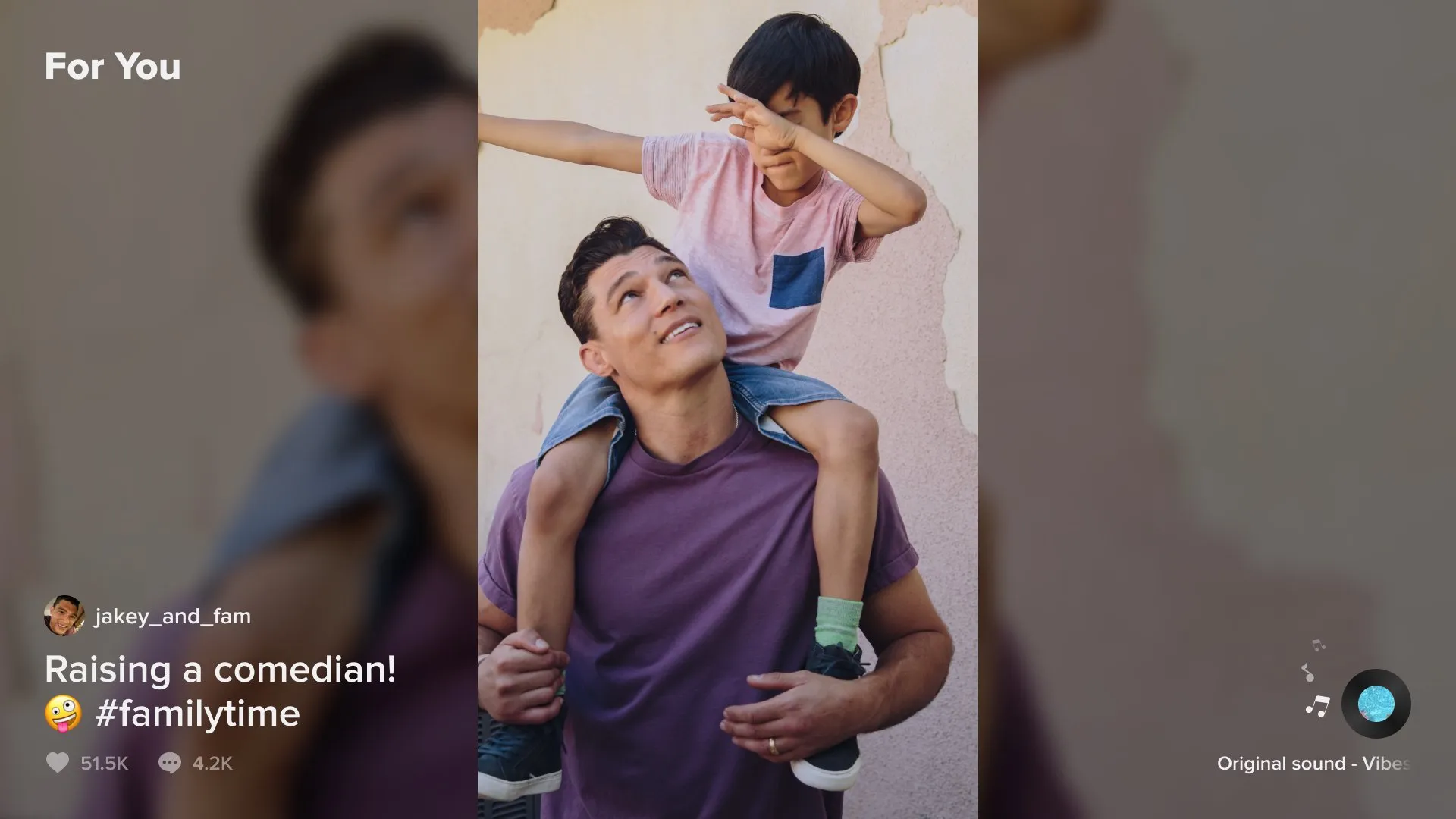

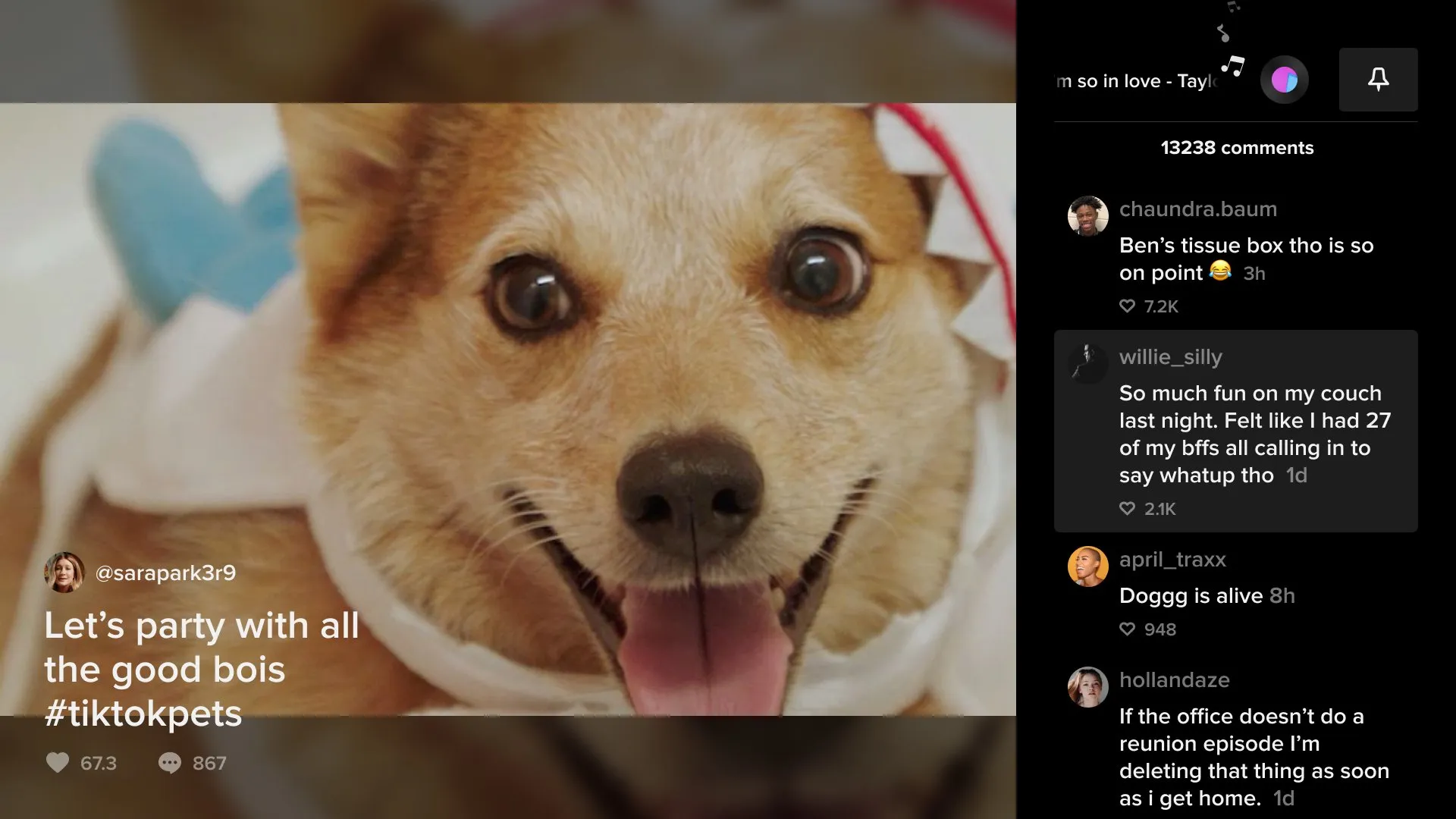
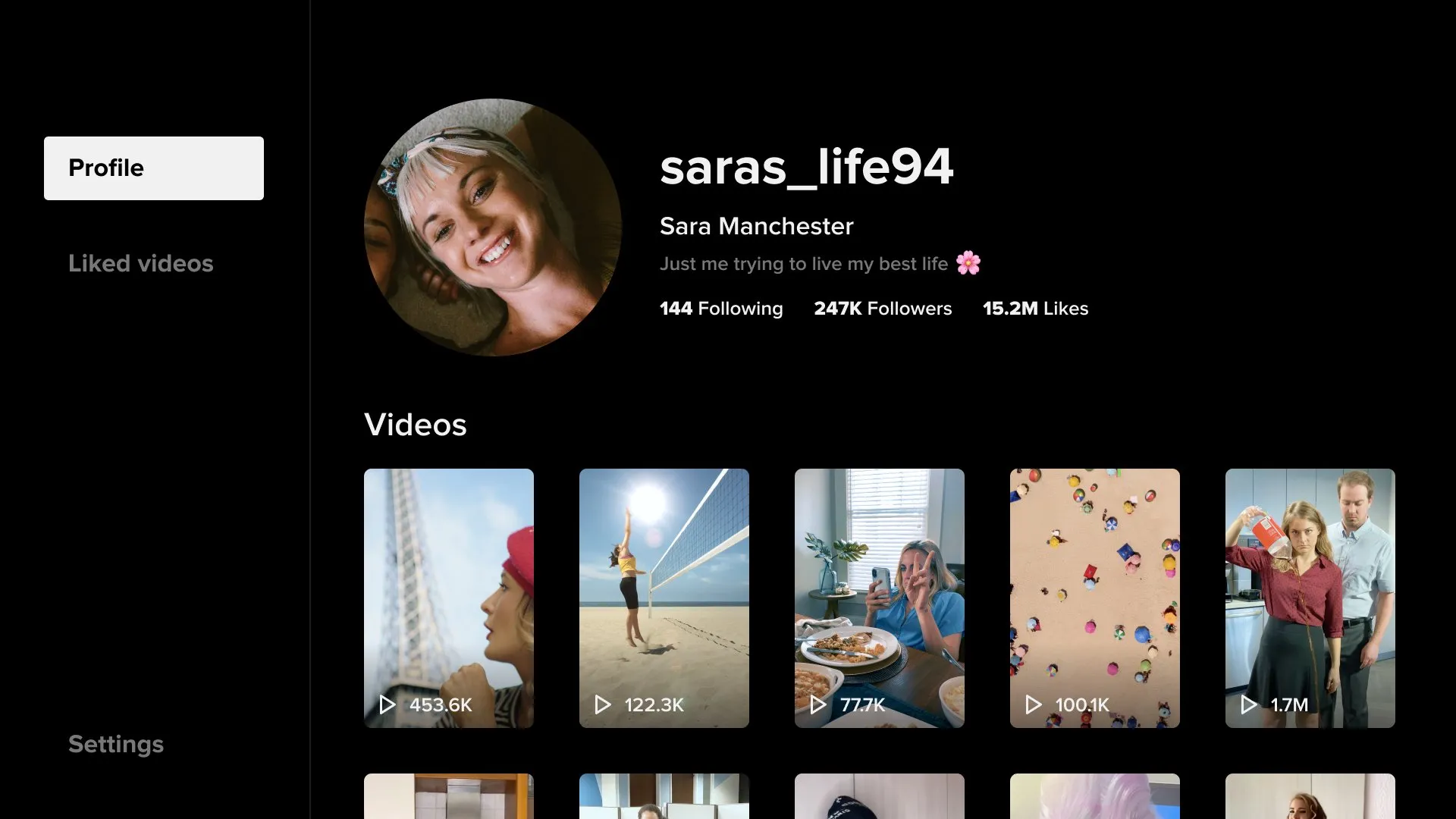
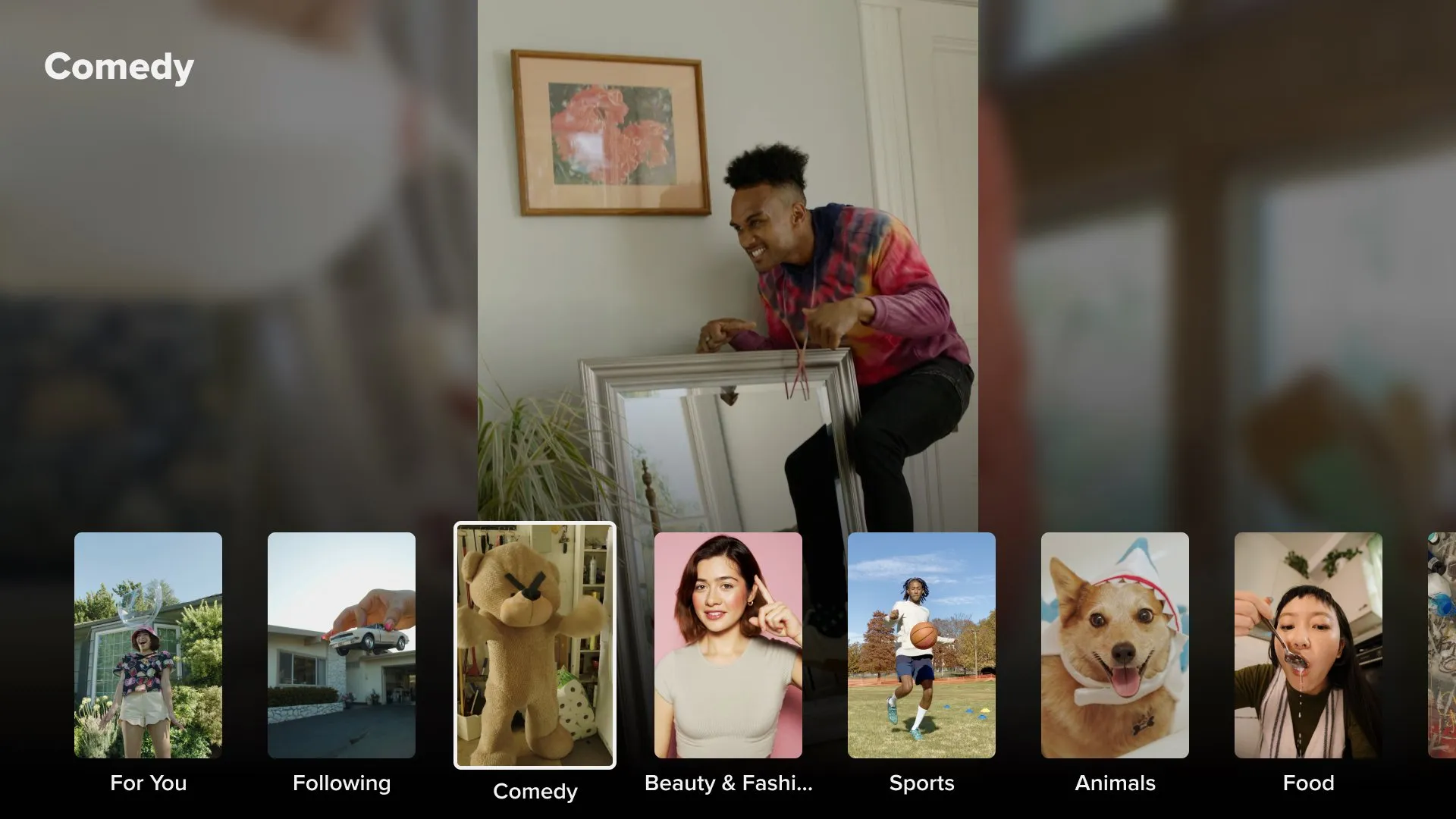
TikTok for Android TV is an entertainment application redesigned specifically for large-screen television displays. It takes the highly addictive short-form video experience from your mobile device and optimizes it for the living room. Instead of holding a phone, you can lean back and enjoy content on a massive display. The application formats videos vertically or fills the screen with specialized backgrounds to match television proportions. It allows users to browse personalized feeds, discover trending creators, and explore diverse categories with ease. The software relies heavily on remote control navigation, ensuring a smooth and effortless browsing routine. It offers a great way for families and friends to watch viral videos together in a shared space.
Understanding the Interface of TikTok for Android TV
The layout of TikTok for Android TV differs significantly from the mobile version to accommodate television screens. When you launch the app, you see a clean, horizontal dashboard that fits wide displays perfectly. The main screen divides content into clear categories like “For You,” “Following,” and specialized interest feeds. This structure makes discovering new videos incredibly straightforward.
Navigating through the interface requires only the directional pad on your standard TV remote. You press down to skip to the next video and press up to return to the previous one. The video information, including the creator’s username and description, sits neatly on the side of the screen. This placement ensures that text does not block the main visual action. Transitioning between different video clips happens instantly, providing a fast and highly responsive viewing session.
Why TikTok for Android TV Enhances Group Viewing
Watching short videos is no longer a solitary activity when you use TikTok for Android TV in your home. The large display creates an ideal environment for entertainment during gatherings or family nights. Multiple people can view the content simultaneously without crowding around a tiny smartphone screen. This setup transforms passive viewing into an interactive social experience.
Furthermore, the television app synchronizes perfectly with your existing mobile profile. You can log in quickly using a temporary activation code or a QR code on your phone screen. Once linked, the television software populates your screen with your pre-existing preferences and followed accounts. This integration means you can seamlessly continue your personalized entertainment journey on a much larger canvas.
Key Features Built for Big Screen Entertainment
The developers included specific features to make the application highly functional on television hardware. It prioritizes user convenience and high-definition playback. Here are the most prominent features you will discover within the application:
- Continuous Playback: The application plays the next video automatically so you do not have to click the remote constantly.
- Easy Account Linking: Scan a quick QR code with your smartphone to sync your personal profile in seconds.
- Category Browsing: Explore specific topics like gaming, cooking, comedy, sports, and travel directly from the main menu.
- High-Quality Scaling: The software scales mobile videos cleanly to prevent heavy pixelation on large television panels.
- Profile Exploration: Click on a creator’s name to view their entire public video grid using horizontal scrolling.
- Like and Report Tools: Interact with videos or flag inappropriate content easily using simple remote control shortcuts.
How to Optimize Your Viewing Experience
To get the absolute best performance from TikTok for Android TV, you should check your internet connection stability. High-definition video streaming requires a steady data flow to prevent annoying buffering wheels. If your television supports it, using a wired Ethernet cable provides a much more stable connection than standard Wi-Fi.
Additionally, you should explore the app settings to adjust playback quality. If you notice occasional stuttering during fast-paced videos, clearing the application cache in your television settings can help. This quick maintenance steps refreshes the software memory and restores optimal scrolling speeds. Always ensure you keep the application updated to benefit from the latest performance patches and interface improvements.
Managing Content Filters and Parental Controls
Safety remains a vital consideration when displaying social media content in a shared living room environment. This application includes robust filtering tools to help you manage what appears on the screen. Parents can enable “Restricted Mode” directly within the settings menu to block mature or sensitive content. This feature is essential for maintaining a family-friendly environment.
You can protect these parental control settings with a unique numeric PIN code. This safety measure ensures that younger viewers cannot disable the filters without permission. The application also respects the privacy settings of your main account. If you block specific tags or accounts on your smartphone, those choices carry over to the television screen automatically.
The Future of Television Social Media Streaming
The release of this television application indicates a massive shift in how people consume short-form media. It proves that vertical content can find a successful home on traditional horizontal displays. The ongoing popularity of the app encourages developers to refine the software constantly. They frequently introduce new interactive features, such as viewer polling and improved live stream compatibility.
As smart television processors grow more powerful, the app will continue to load data faster and offer richer animations. It bridges the gap between traditional television programming and modern internet culture. The focus remains on delivering instant, highly engaging content that fits the modern lifestyle perfectly.
Conclusion
TikTok for Android TV delivers a magnificent way to experience modern viral content on a grand scale. It takes a popular mobile formula and adapts it beautifully for living room entertainment. With its intuitive remote navigation, group-friendly layout, and strong parental controls, it fits seamlessly into any modern household ecosystem. Linking your account is an effortless process, allowing you to access your favorite creators instantly. By optimizing your network connection and configuring the content filters, you can create a safe, smooth, and endlessly entertaining media stream. It shows how traditional screens can adapt to modern internet trends successfully.